Mergepoint changelog
Task Review & Approval
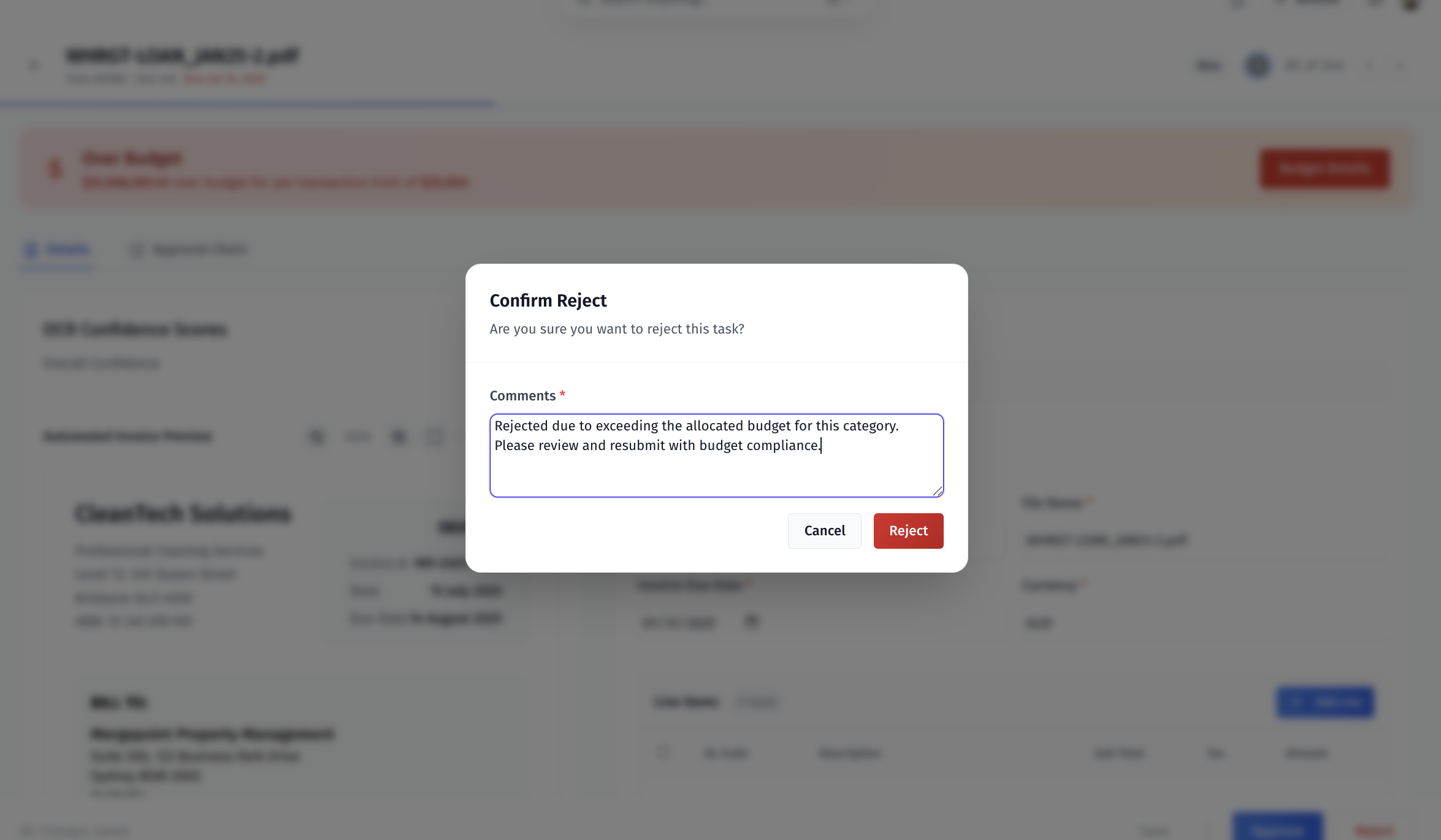
MergePoint now provides dedicated approval controls that enable users to make informed decisions on assigned tasks while maintaining comprehensive audit trails.
Core approval functionality:
Dedicated Approve and Reject buttons positioned in the lower right interface
Optional comment system within approval modals for decision context
Two-step confirmation process to prevent accidental task actions
Visual distinction with red highlighting on reject functionality
Audit Trail Update
The decision (approve or reject) is recorded in the approval timeline, visible to all collaborators.
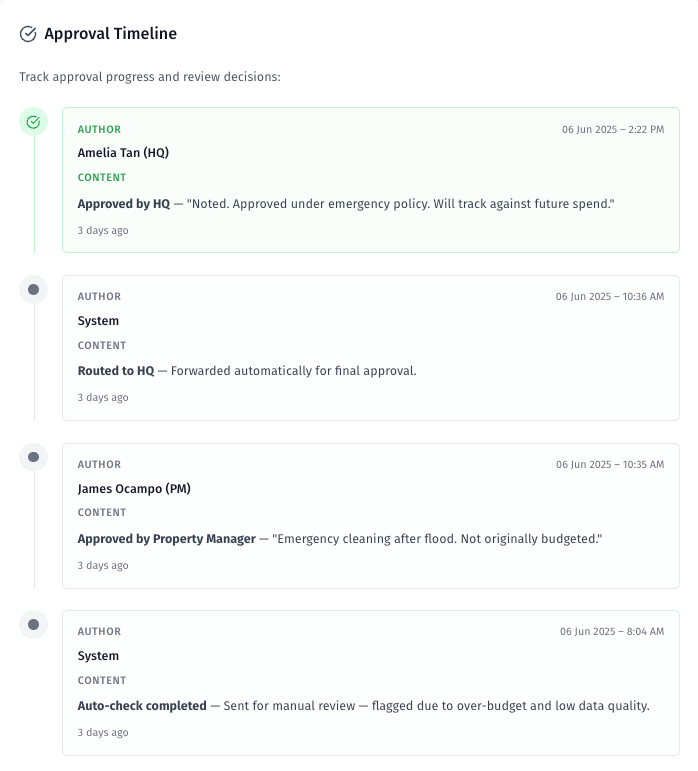
Users can review task details thoroughly before accessing the action controls. The approval process includes a confirmation modal that allows for final comment addition before saving the decision, ensuring all approvals are intentional and properly documented.