
This guide explains the standard process for approving or rejecting tasks in MergePoint.
1. Receive a Task Notification
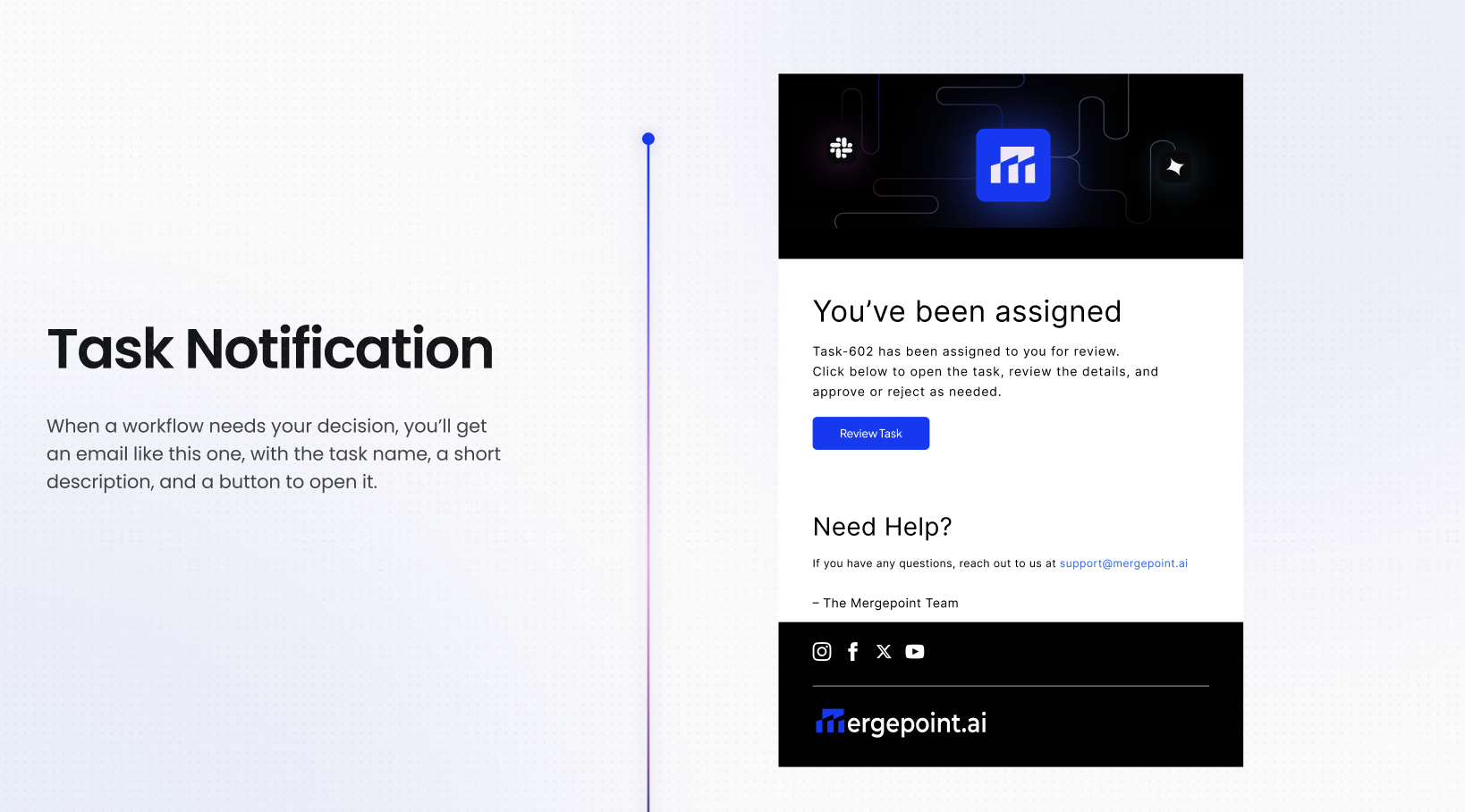
When you are assigned a task, MergePoint sends you an email notification containing:
- The task number
- A "View Task" button to open it directly in MergePoint
2. Open the Task
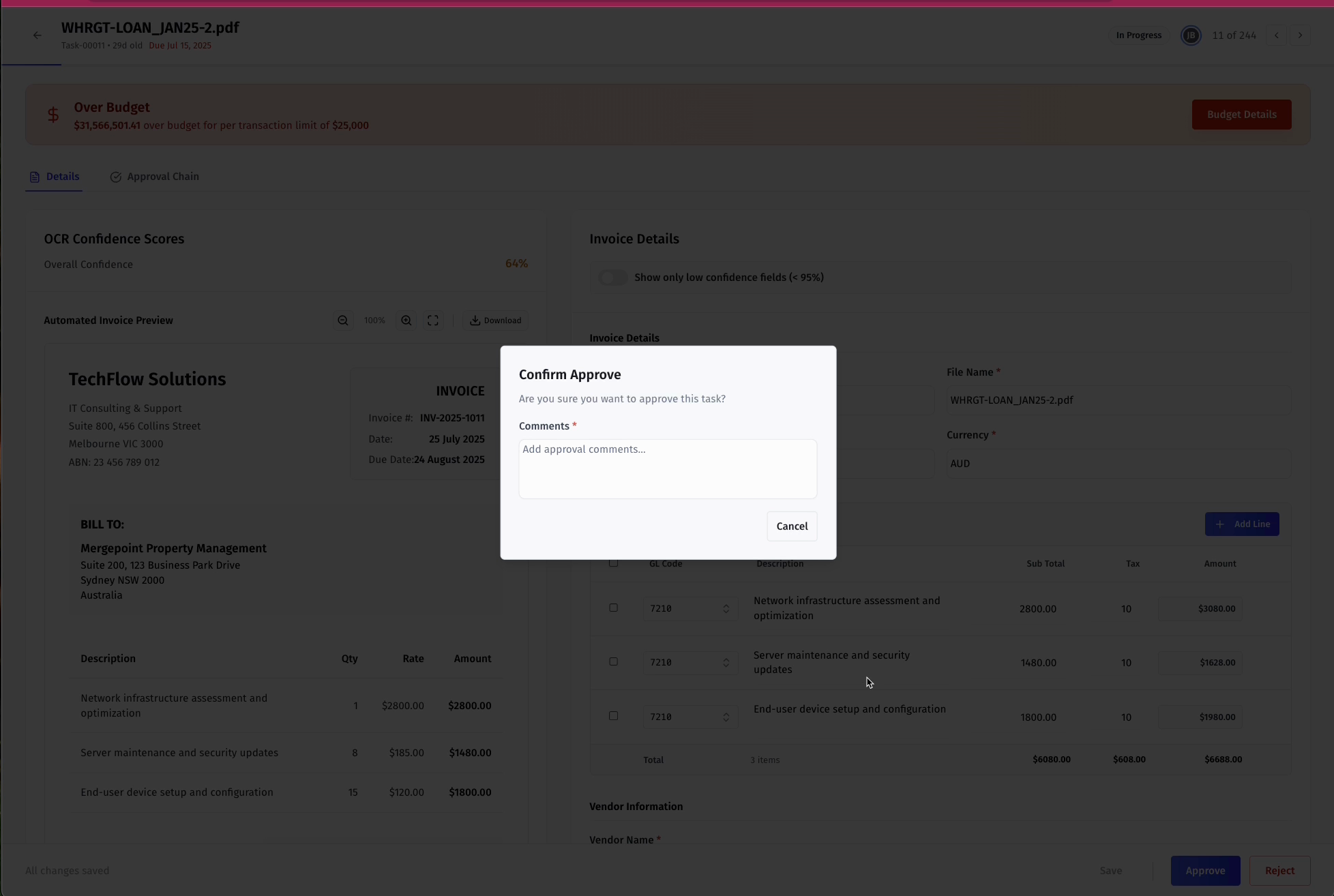
Click "View Task" in the email. The task page shows:
- Details panel — all fields and data for the task
- Reference/preview panel — supporting documents or records attached to the task
3. Review the Task
Before taking action, check:
- All required fields are completed and accurate
- Any notes or history from previous steps in the workflow
4. Take Action — Approve or Reject
The Approve and Reject buttons appear in the task footer. Their position depends on how the workflow builder configured the footer alignment (left, center, right, or split).
- Approve — confirms the task is correct and moves it forward in the workflow
- Reject — sends it back or stops further processing
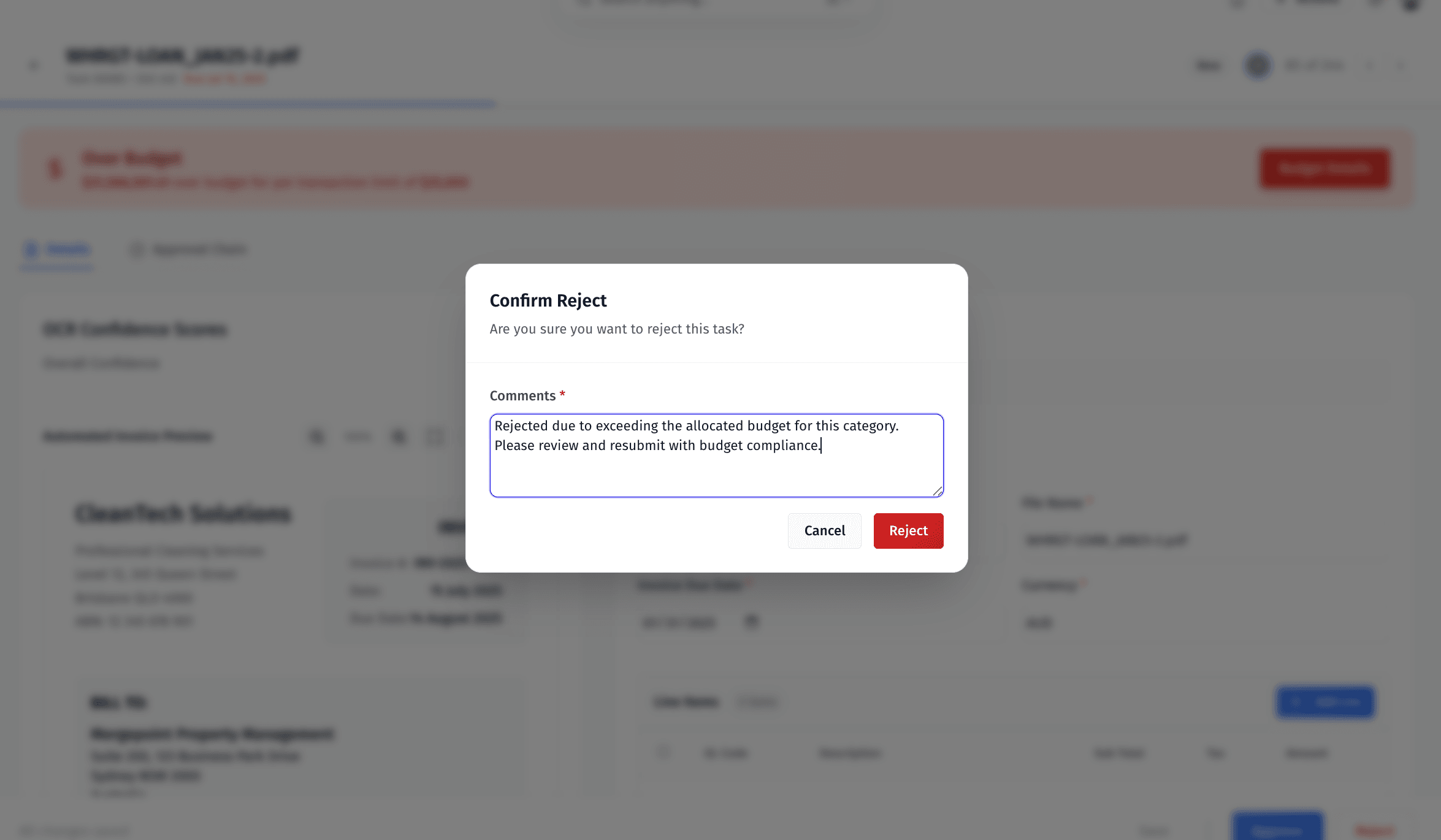
5. Confirm Your Decision
If the workflow builder has enabled a confirmation step, a dialog will appear before your action is submitted. The dialog shows a title and description (set by the builder) and asks you to confirm by clicking the primary button, or cancel to go back.
This dialog is a simple confirmation prompt — it does not collect comments. If you need to provide a reason or notes, look for a dedicated notes or comments field in the task form above.
6. After Your Decision
- The task's status updates immediately
- Your action is recorded in the task history
- The workflow routes automatically to the next step — finalization, handoff, or rework