Docs / Human-in-the-Loop
Assigning Tasks
You can manually assign tasks to yourself or others directly from the task list. This keeps work organized, prevents duplication, and ensures everyone knows what they’re responsible for.
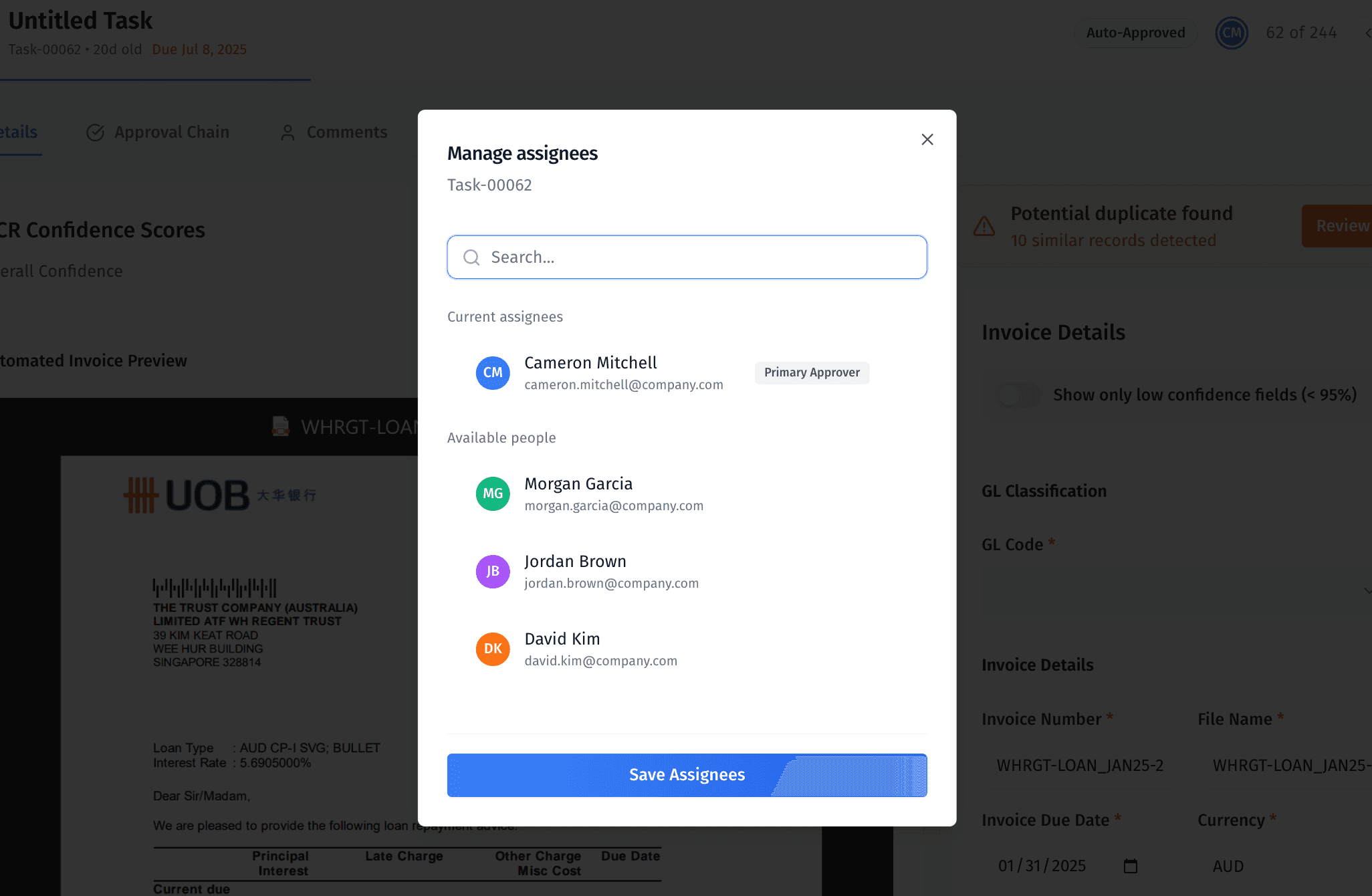
MergePoint supports both automatic task assignment (based on your business rules) and manual assignment from inside the task view.
Automatic assignment ensures tasks are routed consistently, while manual assignment gives you the flexibility to override or update ownership at any time.
Automatic Assignment Rules
Automatic assignment is configured by admins and can follow any business logic, such as:
Task type or workflow
Region, property, or account ownership
Round-robin rotation across a team
Priority or SLA requirements
When a new task is created, MergePoint applies these rules instantly so the Assigned To field is already populated.
You can override these assignments at any time.
Manual Assignment (Override or Self-Assign)
Where to Assign
Inside the task view, look at the top-right corner of the task header (next to the task status and navigation arrows).
You’ll see:
The assignee avatar if the task is already assigned
The label “New” if it’s unassigned
This is the assignment control.
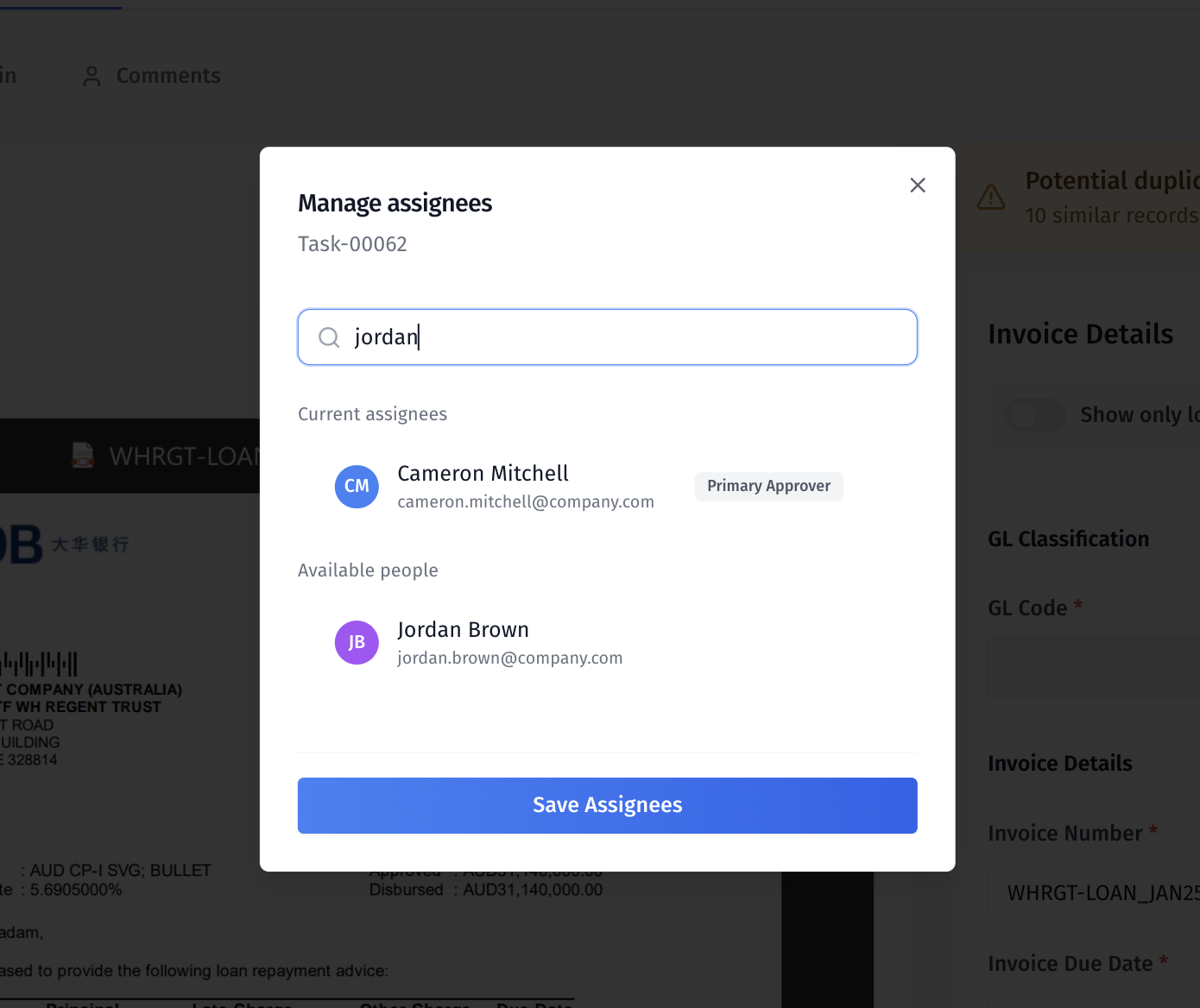
How to Assign or Reassign a Task
Open the task you want to assign.
Click the assignee avatar or the “New” label in the task header.
Select a team member from the dropdown list.
The assignee avatar updates instantly to show the selected person.
You can reassign a task at any time — whether it was assigned automatically or manually.
When to Manually Assign or Override
Self-assign work you’re ready to start.
Reassign overdue or stalled tasks to another teammate.
Change the assignee if the business rules routed it incorrectly.
Assign a specific reviewer for human-approval steps.
Why This Matters
Automation first — speeds up routing and ensures consistency.
Manual flexibility — lets you adapt to real-world changes.
Clear ownership — everyone knows who’s responsible for what.
Reduced bottlenecks — quick reassignment prevents work from sitting idle.
Was this helpful?