Docs / Human-in-the-Loop
Task List Panel
This panel shows task queues for each business process your team is managing — like invoice processing, contact enrichment, or ID verification.
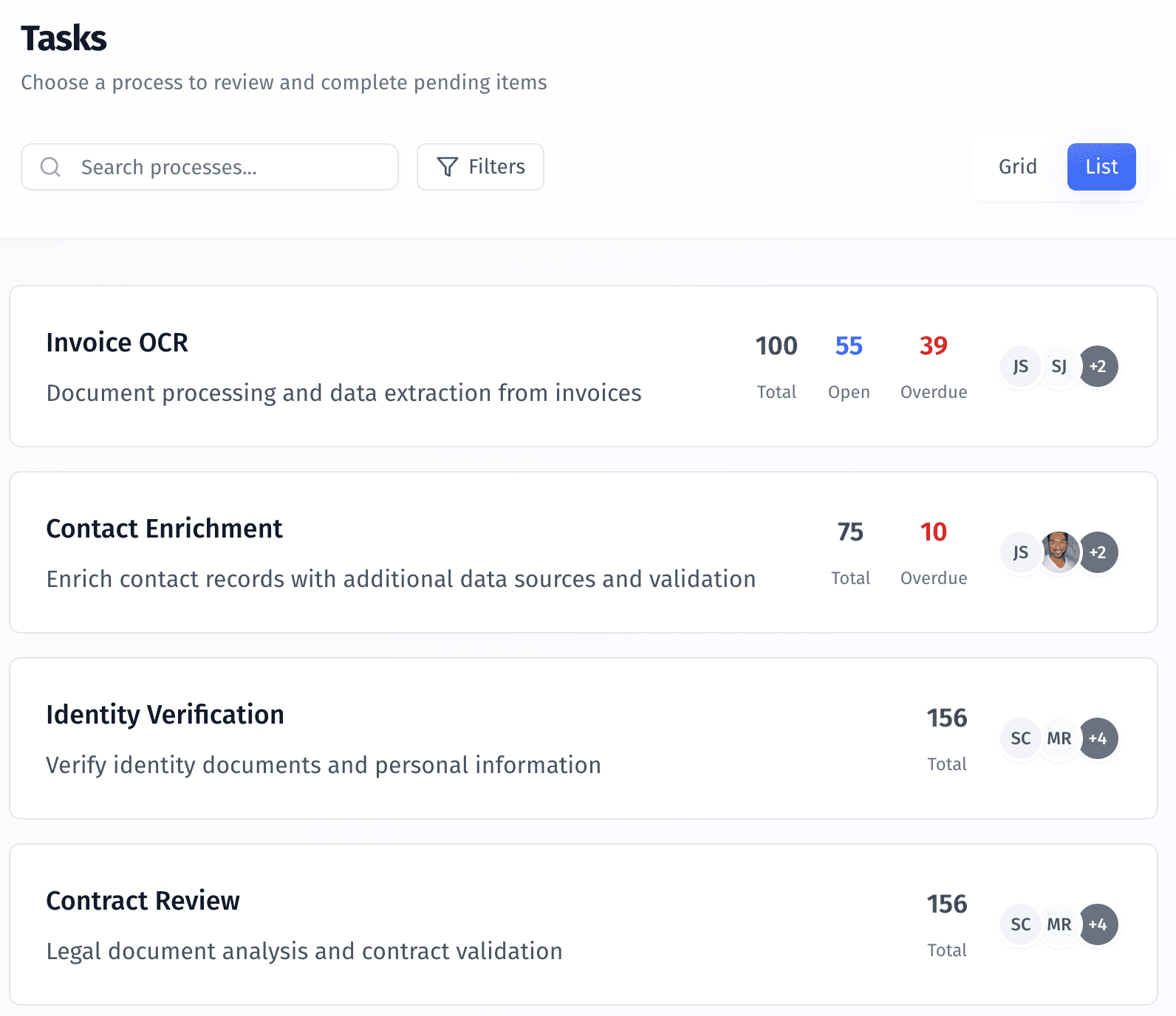
The Task List Panel gives you a centralized view of all task queues across your operational workflows. Each task list is tied to a specific process—like invoice processing, identity verification, or contact enrichment—and shows what work is pending, overdue, or in progress.
This is where you choose which tasks to work on.
What You’re Seeing
Each row in the panel represents a process-specific task list. It includes:
Process name – the type of workflow (e.g., “Invoice OCR”)
Description – a short summary of what the process does
Task counts – total, open, and overdue items
Assignees – team members responsible for that task list
This view helps you understand task volume and team load at a glance.
How to Use It
Click on any task list to open it. This updates your main workspace to show:
The full list of tasks for that process
Which ones are assigned to you or your team
Relevant rules, data, and documents tied to each task
You can switch between task lists at any time without leaving the page.
Why It Matters
Most organizations run several processes in parallel—some fully automated, others requiring manual review. This panel makes it easy to:
Monitor task volume across workflows
Prioritize urgent or overdue items
Assign and manage work within teams
Whether you're enriching contacts, reviewing contracts, or validating documents, the Task List Panel keeps everything in one place, so you always know what to do next.
Was this helpful?